Q: How are Files (aka CRM Content) structured in Salesforce?
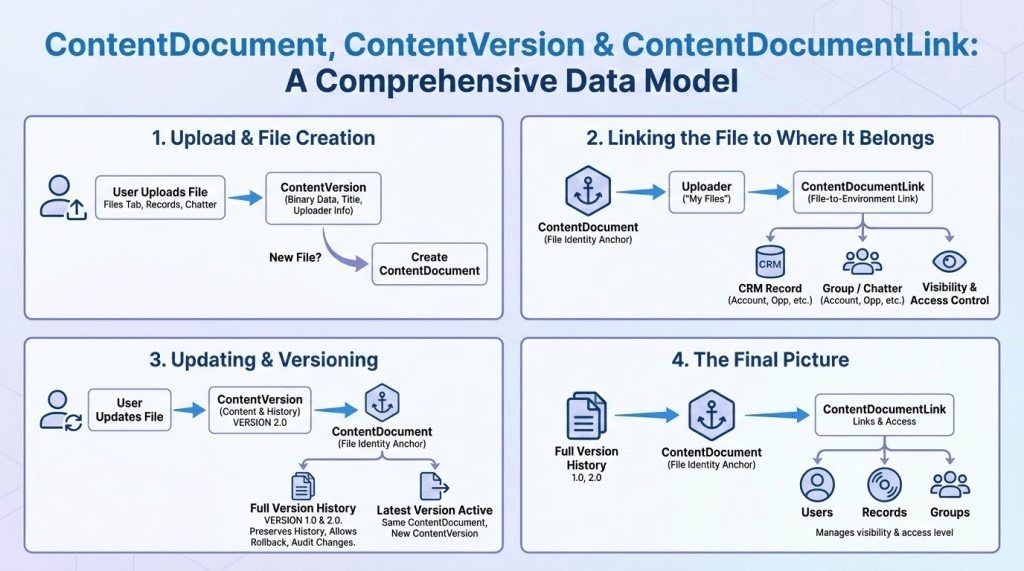
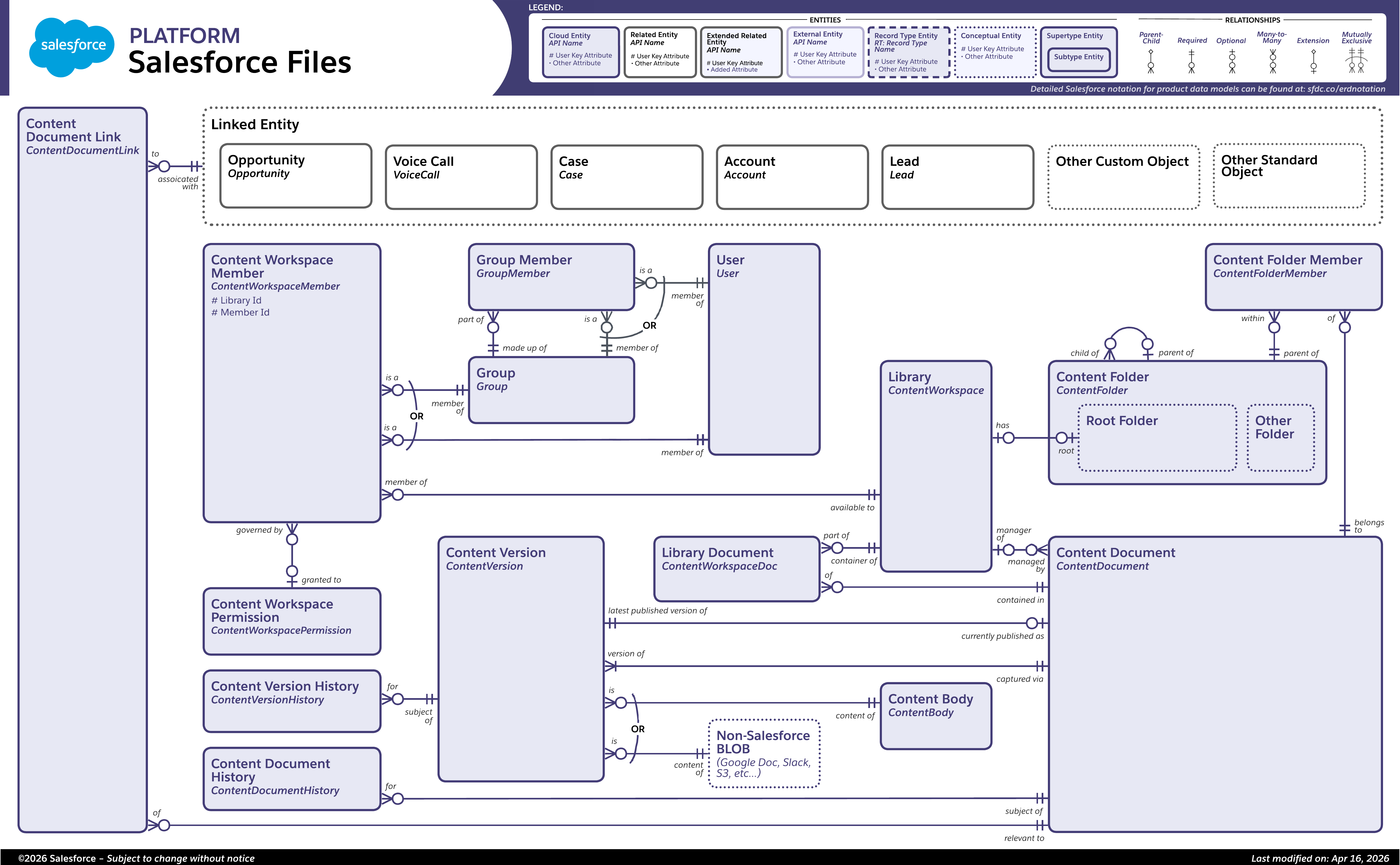
A: In the API, the key objects are called ContentDocument, ContentDocumentLink, and ContentVersion.
This help topic has a nice workup of how those objects get created and updated when users do stuff with Files:
They can be found in this Entity Relationship Diagram (ERD) in Salesforce’s documentation:
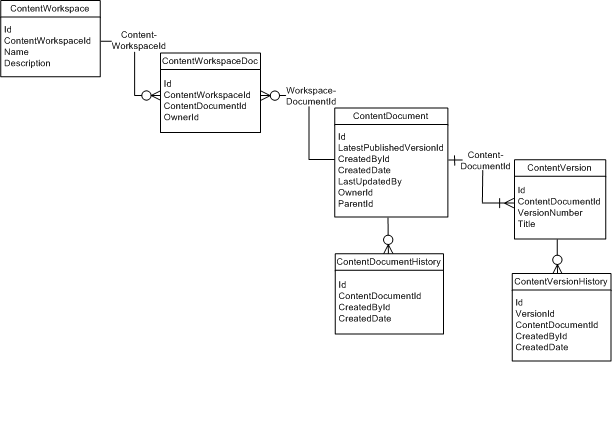
If you want to zoom in on ContentWorkspace, this post is useful:
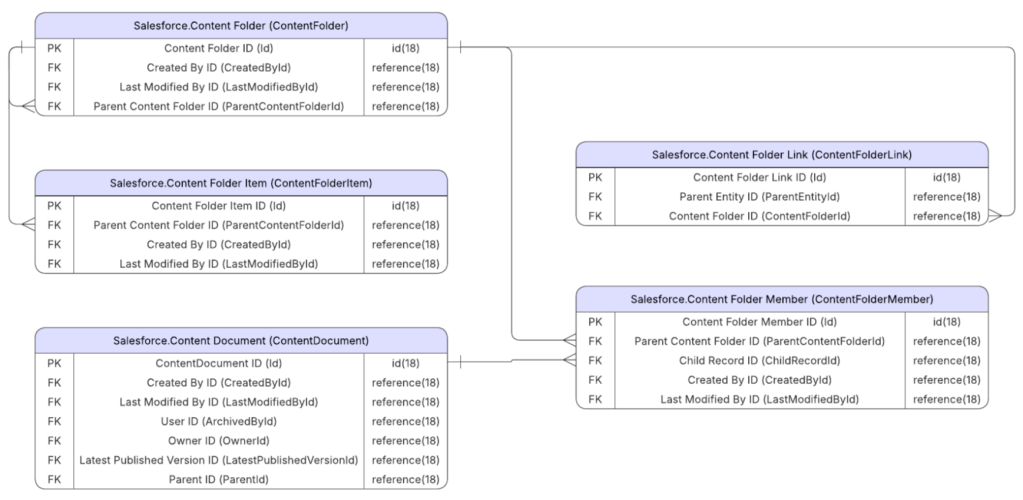
If you want to zoom in on ContentFolder, this diagram is useful:
That first diagram is really great stuff. I’d had an intuitive understanding of how ContentVersion records got created when I uploaded new versions, but it’s terribly validating to see it in concrete pictures.
And for Salesforce archaeologists, this whole strange structure was laid down when Salesforce acquired nine-person Koral in 2007.
 Kudotek v2.0