Q: “How can I prevent the ‘Gemini’ palette from appearing every time I create a new Google Sheet?”
A: There’s no setting in Google Sheets to suppress it.
But the Tampermonkey browser extension, with a script, can do it:
1] install the Tampermonkey extension in your browser
2] click the Tampermonkey icon and select “Create a new script…”
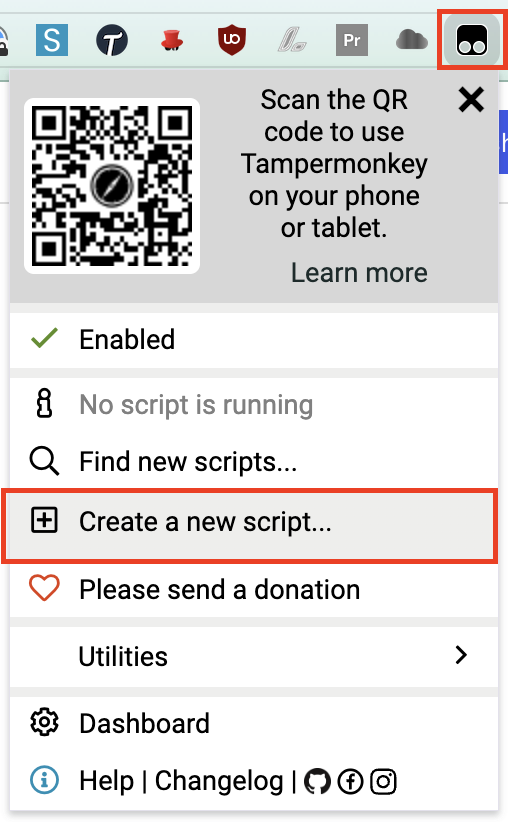
3] highlight the existing code in the <new userscript> window
4] replace the highlighted text by copying-and-pasting the code block below:
// ==UserScript==// @name Kill Google Sheets "Gemini" Sidebar// @namespace http://tampermonkey.net/// @version 1.0// @description Auto-dismisses the Gemini sidebar when it appears in Google Sheets// @match https://docs.google.com/spreadsheets/*// @grant none// @author Ezra Kenigsberg, kudotek.com (with big thanks to Claude)// @copyright Copyright 2026 Ezra Kenigsberg// @license MIT; https://opensource.org/licenses/MIT// ==/UserScript==(function () { 'use strict'; function dismissGeminiPane() { // Target the close button by jsname attribute (most stable selector) const closeBtn = document.querySelector('[jsname="TvD9Pc"][aria-label="Close"]'); if (closeBtn) { closeBtn.click(); console.log('[Tampermonkey] Gemini sidebar dismissed.'); } } // Watch for the sidebar being injected into the DOM const observer = new MutationObserver(() => { dismissGeminiPane(); }); observer.observe(document.body, { childList: true, subtree: true, }); // Also try on initial load in case it's already present dismissGeminiPane();})();
5] click “File | Save”
that’s it!
. . . this is likely to change, when some future version of the sidebar has a <button>jsname="TvD9Pc" aria-label="Close"
 Kudotek v2.0
if Google stops pushing Gemini in our faces and reverts to pushing Tables in our faces, Get Rid of “Tables” Palette When Creating a New Google Sheet