Salesforce’s Reporting capability, always wonky, still doesn’t support dates in its Summary Formulas. Users need Custom Summary Formulas to return Dates.
It’s deeply frustrating that this ticket, which merged previous requests for Custom Summary Formulas to return Dates, was marked “Delivered” when the underlying need remains undelivered.
Vote for the ideas that capture this longtime, simple need:
Q: How might I validate a record but still allow it to save if it fails?
A: I use a little bit of formula-field sneakiness.
Let’s say you’re a consultancy and you’ve got three project-related dates on an Opportunity (Close Date, Implementation Date, Go-Live Date) that need to occur sequentially. Here’s what that output could look like:
To implement it, I suggest creating a Formula(Text) field named “Date Audit” like this:
IF(NOT(ISBLANK(Implementation_Date__c)) && Implementation_Date__c <= CloseDate, "❌Implementation Date Must Be Later than Close Date" & BR(), "") & IF(NOT(ISBLANK(Go_Live_Date__c)) && Go_Live_Date__c <= CloseDate, "❌Go-Live Date Must Be Later than Close Date" & BR(), "") & IF(NOT(ISBLANK(Implementation_Date__c)) && NOT(ISBLANK(Go_Live_Date__c)) && Go_Live_Date__c <= Implementation_Date__c, "❌Go-Live Date Must Be Later than Implementation Date" & BR(), "")
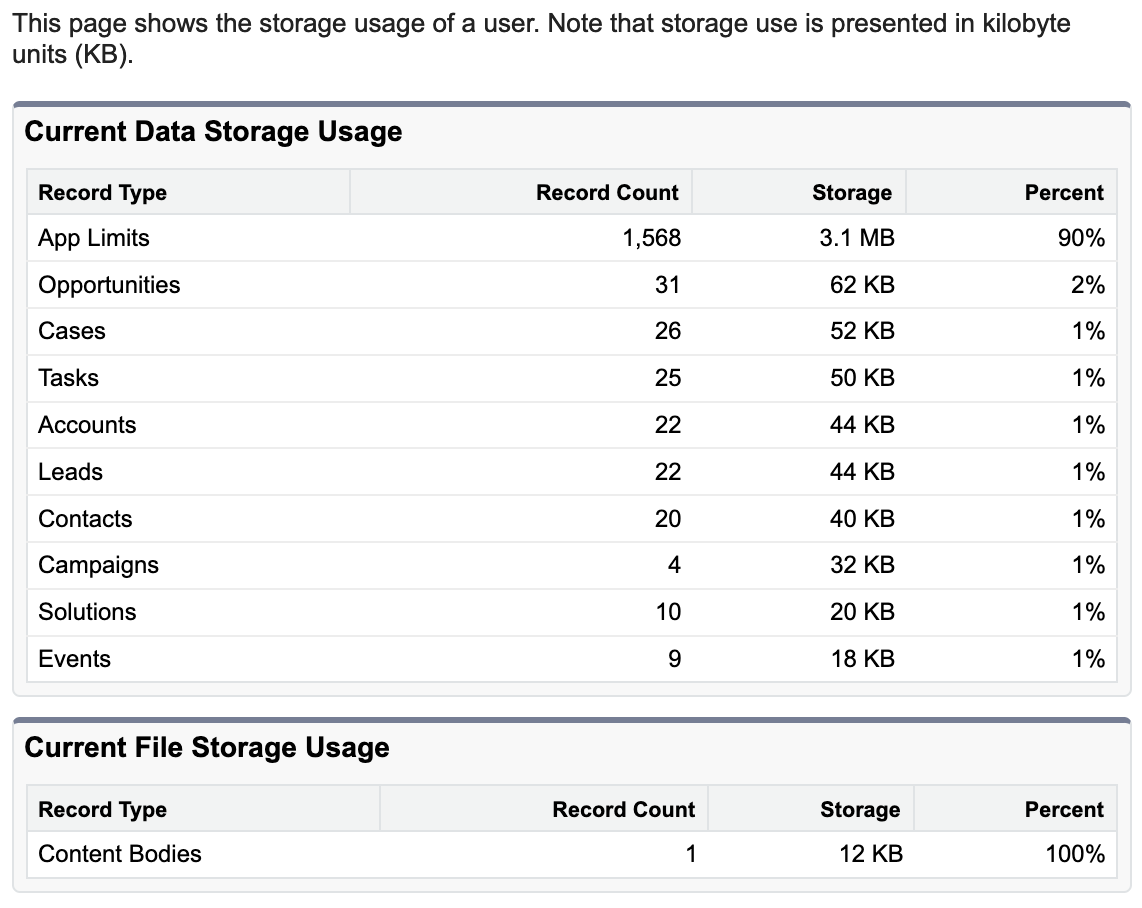
the page looks like this (though presumably with many more records than you’d find in one of my Dev Sandboxes!)
individual User’s “Current Data Storage Usage” screenshot
Where’d this come from? If you navigate to Setup | Data | Storage Usage, there’re two underknown sections at the bottom of the page, for “Top Users by Data Storage Usage” and “Top Users by File Storage Usage”.
Clicking a username in either one of those sections gets you the URL and page shown above.
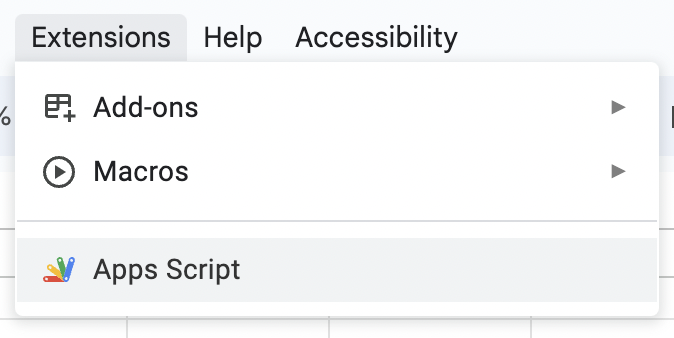
1]click “Extensions | App Script” in your desired spreadsheet
2] in the Apps Script browser tab, select all existing text and replace it with the following:
/**
 * Returns the URL of a hyperlinked cell, if it's entered with control + k.
 * Author: @Frederico Schardong based on https://support.google.com/docs/thread/28558721?hl=en&msgid=28927581
 * and https://github.com/andrebradshaw/utilities/blob/master/google_apps/convertHiddenLinks.gs
 * Supports ranges
 */
function linkURL(reference) {
  var sheet = SpreadsheetApp.getActiveSheet();
  var formula = SpreadsheetApp.getActiveRange().getFormula();
  var args = formula.match(/=\w+\((.*)\)/i);
  try {
    var range = sheet.getRange(args[1]);
  }
  catch(e) {
    throw new Error(args[1] + ' is not a valid range');
  }

  var formulas = range.getRichTextValues();
  var output = [];
  for (var i = 0; i < formulas.length; i++) {
    var row = [];
    for (var j = 0; j < formulas[0].length; j++) {
      row.push(formulas[i][j].getLinkUrl());
    }
    output.push(row);
  }
  return output
}
3] click the Save button (a floppy disk!)
4] return to your spreadsheet’s browser tab and type the formula=linkURL(A1) in any cell (replacing the A1 bit with the relevant cell).
That’s it! This JavaScript formula works with both cells that have
=HYPERLINK() formulas and
embedded links (like ones copied from Salesforce pages 🙂)
Did the old DemandTools (v2.xx, the one with the ’90s Windows 3 UI) have these bugs?
1] if
I have a unique-indexed field and
I tell DT to copy a losing record’s unique ID onto a winning record,
it deletes the losing record. . . even if I told it not to delete losing records
2] the FieldCopyUnique command fails to migrate certain values from losing records to winning records
for me, it’s working with Text, but failing with URLs and Phone Numbers
UPDATE 2024-04-03: we think this problem was caused when by cloning one of DT’s pre-existing merge scenarios. If we build a scenario from scratch, FieldCopyUnique works properly.
Q: How do I find which fields in a Salesforce object are Compound fields?
A: Run this SOQL query:
SELECT Label, MasterLabel, Name FROM EntityParticle WHERE EntityDefinitionId = 'Opportunity' AND FieldDefinitionId IN (SELECT DurableId FROM FieldDefinition WHERE IsCompound = TRUE)
. . . change Opportunity to the API Name of the object you’re querying.
The query above is mighty useful when you’re querying the Bulk API.