Do you see a difference between the two words below?

If not, I’m kind of jealous.
If so, then you might be a kerning nerd, and I’ve got two things to lighten your burden:
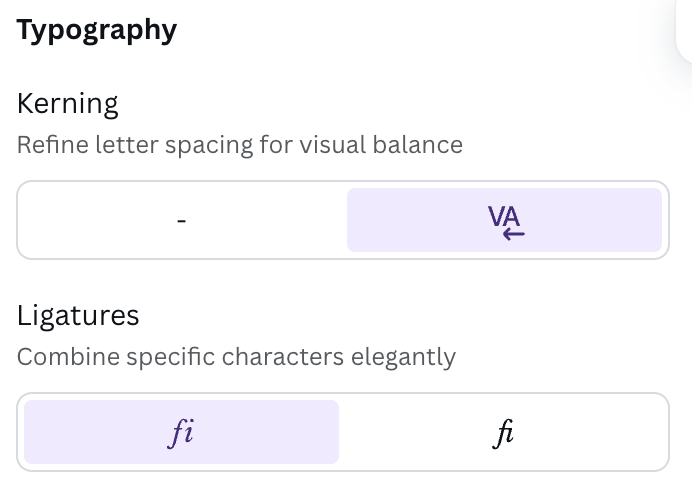
- Canva has an option for activating and deactivating kerning in slides.
- Choose your text, click “Advanced Settings” (that’s the button with the letter T and a double-headed arrow on it), then click the button labelled “More Settings”:
- Choose your text, click “Advanced Settings” (that’s the button with the letter T and a double-headed arrow on it), then click the button labelled “More Settings”:
- This XKCD cartoon feels your pain!
ps ooh, the example in the Wikipedia article’s mighty sharp. yikes

 Kudotek v2.0