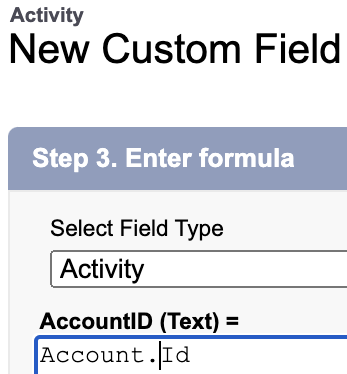
Q: Pop quiz! One of these Custom Activity Formula Fields is syntactically correct, and the other produces an error. Which is which?
Option 1:
Option 2:
A: Highlight to show answer: Option 2 is syntactically correct. I don’t know why. AccountId is a perfectly legitimate system field on both Event and Task!
Q: “I have lots of Salesforce logins. How do I make my username always match my email address?”
A: If you use Gmail, learn the power of pluses and periods!
Gmail tolerates extra characters in the email address. Let’s take the arbitrary email address datanerd@gmail.com. Emailing any of the following addresses will reach that recipient:
Gmail addresses tolerate a plus sign followed by any sequence of letters, numbers, periods, and underscores after your username and before the @ symbol.
Gmail addresses tolerate periods anywhere before the @ symbol.
Armed with this knowledge, I make each of my usernames match its email address–way less mental strain that way!
Another awesome benefit of this feature is it enables easy searching of emails.
Let’s say I have an org called “NewKillerApp”. If I put +NewKillerApp in the username and email address I use for this org, searching on “+NewKillerApp” in my Gmail turns up all the emails specifically related to that org.
Q: Can Salesforce Integration Licenses access Standard Objects like Accounts and Opportunities?
A: Yes, but only with some configuration weirdness!
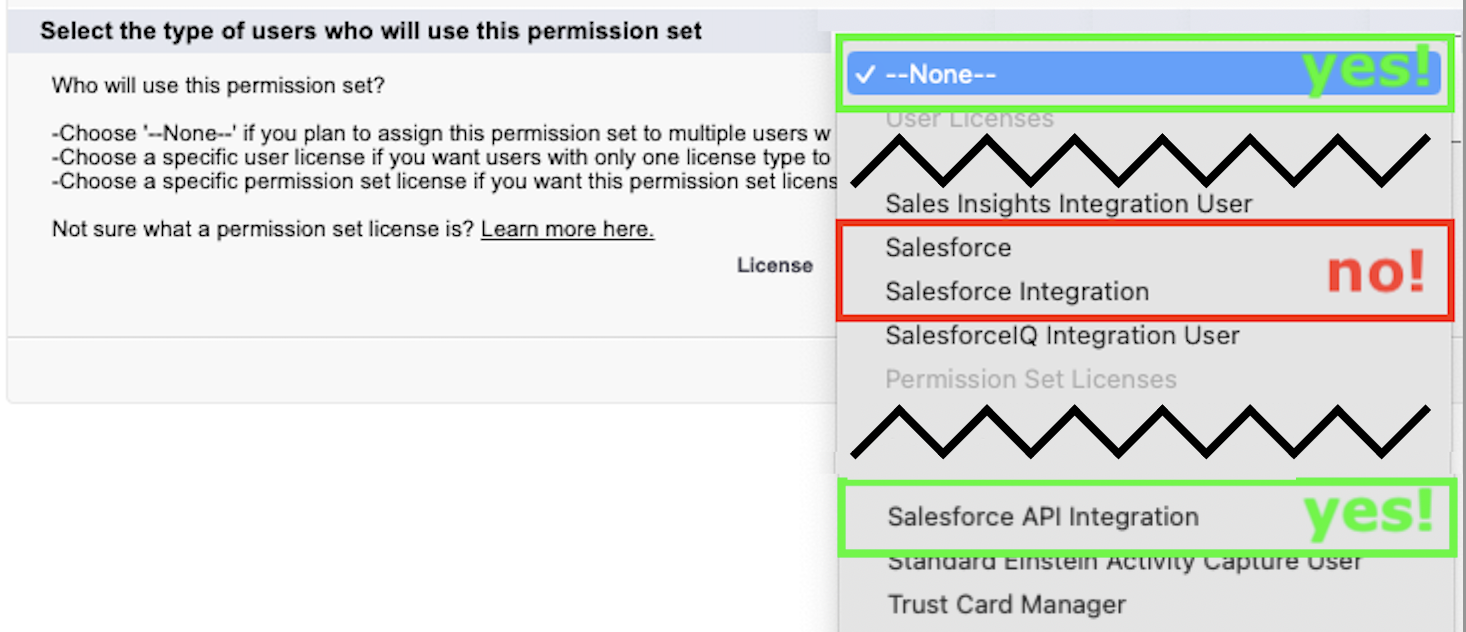
To access Standard Objects, a userid with a Salesforce Integration License must be assigned to the right kind of Permission Set: the Permission Set’s “License” field must be set to
no specific License, or
a “Salesforce API Integration” License:
a Permission Set whose “License” field is “Salesforce” can’t be assigned to a userid with a Salesforce Integration License, and
a Permission Set whose “License” field is “Salesforce Integration” can’t access Standard Objects.
And a Salesforce Integration License’s Profile can’t access Standard Objects, either.