Q: Why doesn’t the installer for Data Loader on the Mac install automatically?
A: Nerd cred, I guess. It’s more badass to have to do manual things.
Anyway, if you’re on a Mac and you
- downloaded the latest installer from this site,
- double-clicked the downloaded Zip file with a name like dataloader_v62.0.2,
- opened the folder with a name like dataloader_v62.0.2,
- double-clicked the file named something like install.command, and
- got the error below. . .

. . . here’s what you should do:
1] control-click the folder with a name like dataloader_v62.0.2,
2] select “New Terminal at Folder” from the drop-down menu
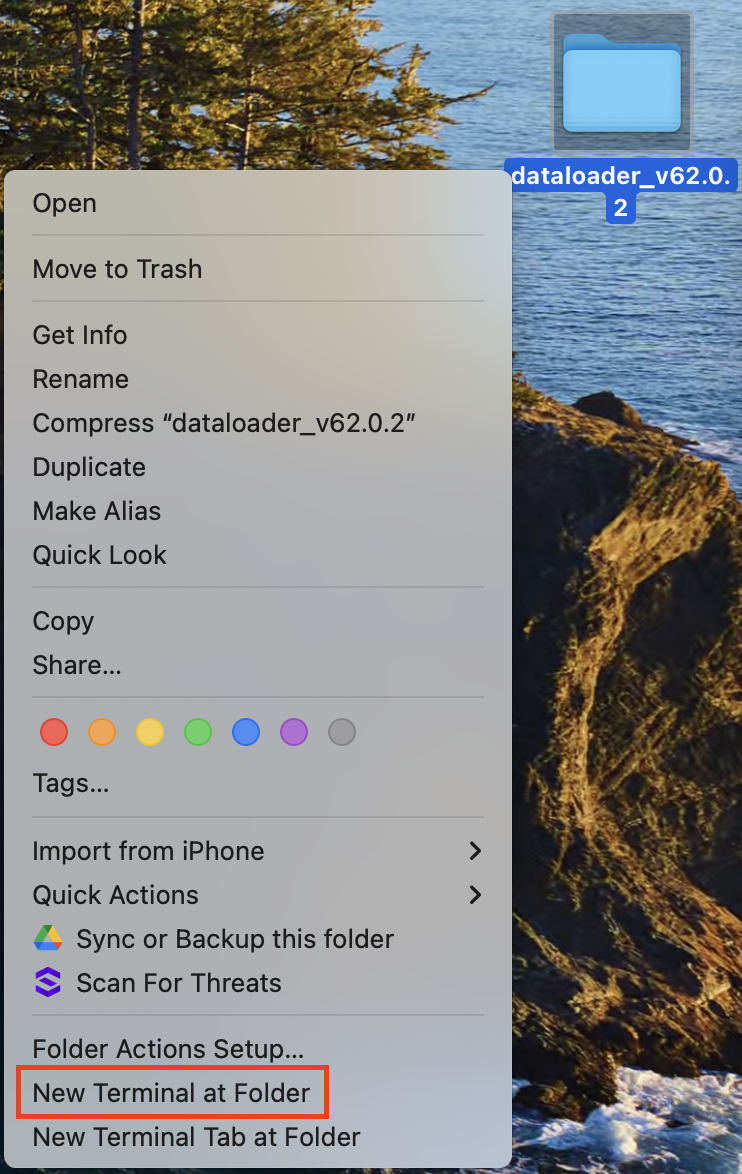
3] copy the command below, paste it into the Terminal window, and press Return:
xattr -d com.apple.quarantine install.command
. . . and that should do it! The file named install.command has been unquarantined and should now run without further complaint.
props to this StackExchange post and this old Macworld forum post
 Kudotek v2.0