Q: How many records does a given user own in Salesforce?
A: A quickie URL hack gets your answer. Paste the following after force.com in your address bar, replacing 005ABCDEFGHIJKL with the desired user’s ID:
/setup/user/userstorageusage.jsp?id=005ABCDEFGHIJKL
the page looks like this (though presumably with many more records than you’d find in one of my Dev Sandboxes!)
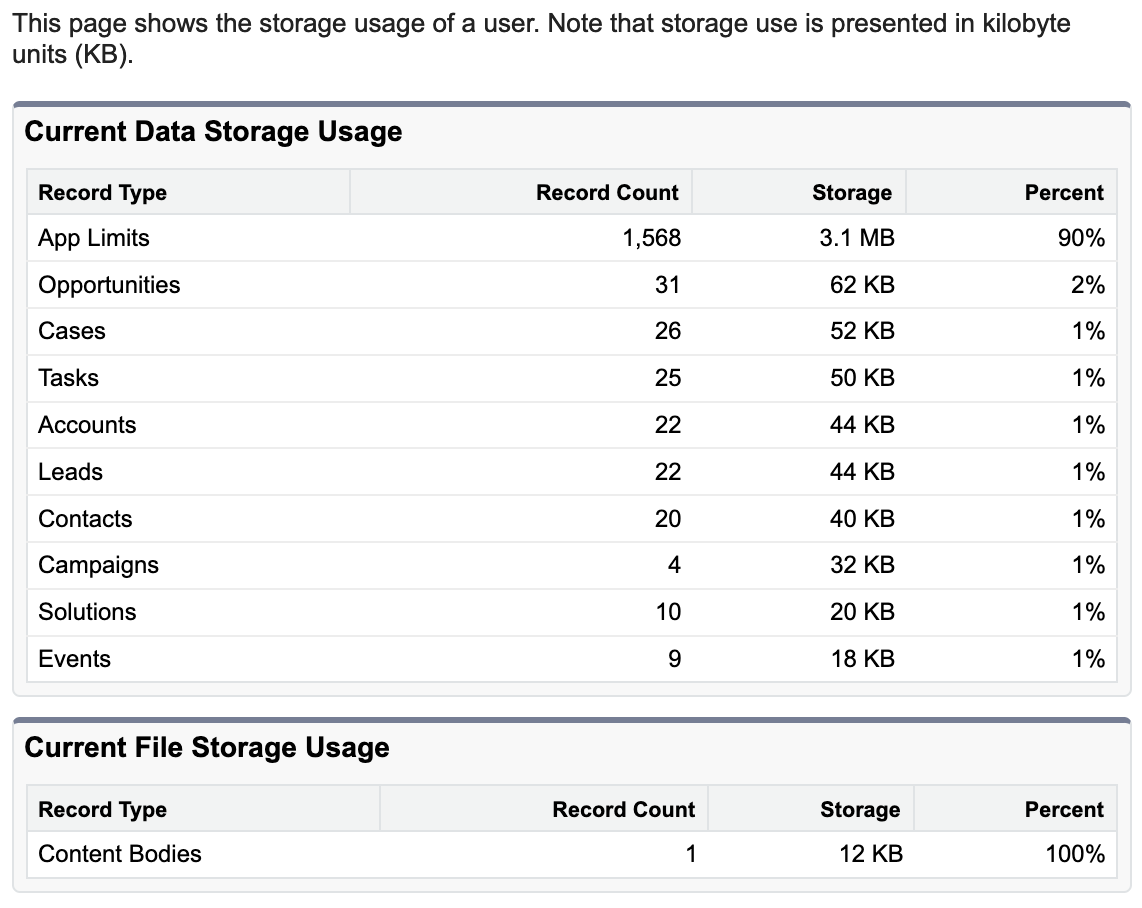
Where’d this come from? If you navigate to Setup | Data | Storage Usage, there’re two underknown sections at the bottom of the page, for “Top Users by Data Storage Usage” and “Top Users by File Storage Usage”.
Clicking a username in either one of those sections gets you the URL and page shown above.
 Kudotek v2.0