Q: I’ve got a Google Sheet cell that links to a URL. How can extract that URL?
A: The best solution I’ve found comes from this StackOverflow post.
Step by step:
1] click “Extensions | App Script” in your desired spreadsheet
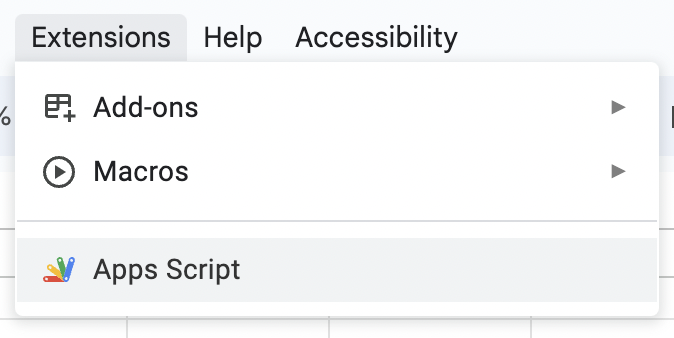
2] in the Apps Script browser tab, select all existing text and replace it with the following:
/**
 * Returns the URL of a hyperlinked cell, if it's entered with control + k.
 * Author: @Frederico Schardong based on https://support.google.com/docs/thread/28558721?hl=en&msgid=28927581
 * and https://github.com/andrebradshaw/utilities/blob/master/google_apps/convertHiddenLinks.gs
 * Supports ranges
 */
function linkURL(reference) {
  var sheet = SpreadsheetApp.getActiveSheet();
  var formula = SpreadsheetApp.getActiveRange().getFormula();
  var args = formula.match(/=\w+\((.*)\)/i);
  try {
    var range = sheet.getRange(args[1]);
  }
  catch(e) {
    throw new Error(args[1] + ' is not a valid range');
  }

  var formulas = range.getRichTextValues();
  var output = [];
  for (var i = 0; i < formulas.length; i++) {
    var row = [];
    for (var j = 0; j < formulas[0].length; j++) {
      row.push(formulas[i][j].getLinkUrl());
    }
    output.push(row);
  }
  return output
}
3] click the Save button (a floppy disk!)

4] return to your spreadsheet’s browser tab and type the formula =linkURL(A1) in any cell (replacing the A1 bit with the relevant cell).
That’s it! This JavaScript formula works with both cells that have
=HYPERLINK()formulas and- embedded links (like ones copied from Salesforce pages 🙂)
 Kudotek v2.0