Q: How can I migrate Processes to Flows?
A: SalesforceBen documents two ways (1. Salesforce’s own Migrate to Flow capability, and 2. Unofficial SF’s ConvertToFlow).
But I see a weakness: if either fails to digest a Process, it poops out halfway through and leaves me nothing to build on.
A third way is called for! If Migrate to Flow and ConvertToFlow don’t work for ya, try a little URL hacking:
- Open Developer Console, flip to the Query Editor tab, and check the “Use Tooling API” checkbox
- run the following query:
  SELECT Id, DeveloperName, MasterLabel, Description, LatestVersionId, ActiveVersionId
    FROM FlowDefinition
ORDER BY DeveloperName
- replace the
301ID in the URL below with any Flow Definition Version ID from step 2 above:
https://na1.salesforce.com/builder_platform_interaction/flowBuilder.app?flowId=301abcdefghijklAAA
or, if you’re working in a Sandbox:
https://cs1.salesforce.com/builder_platform_interaction/flowBuilder.app?flowId=301abcdefghijklAAA
And pow, hey wow, whaddaya know, you’ve taken a Process like this
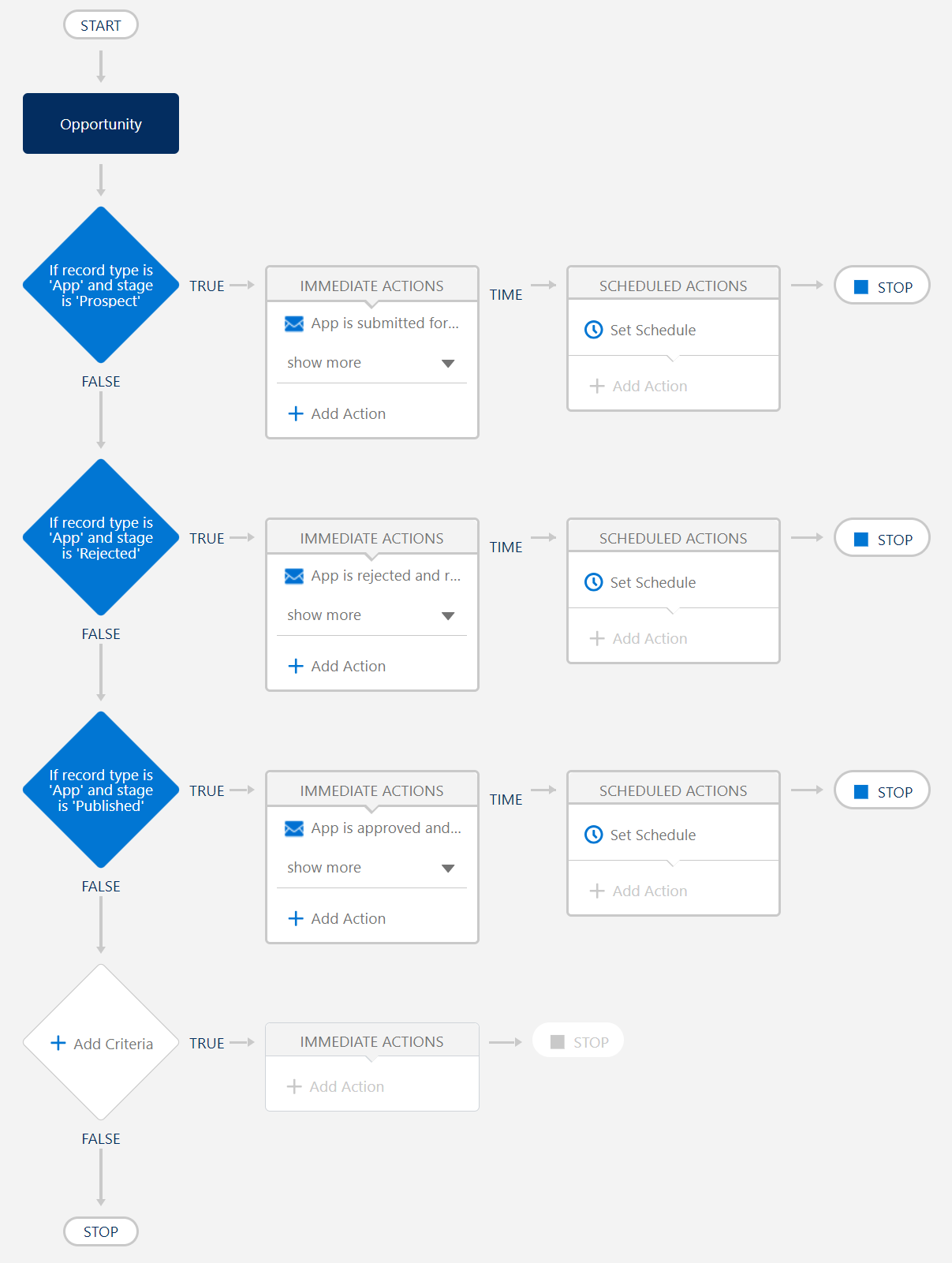
and converted it into a Flow like this (after you toggle from “Free-Form” to “Auto-Layout”):
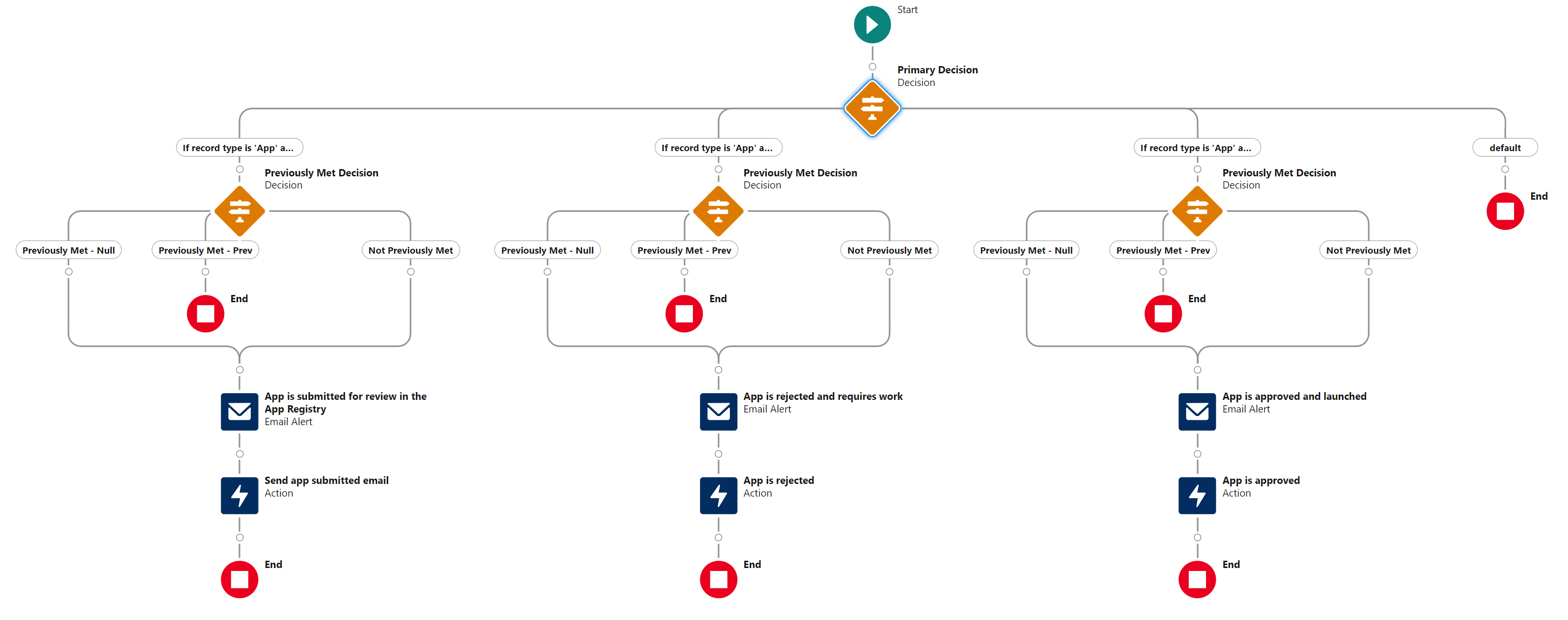
. . . I still haven’t figured out how to save it as a BeforeSave. Because it came from a Process, it seems locked into being an AfterSave, ugh. Still working on that!
 Kudotek v2.0